

Microsoft 365
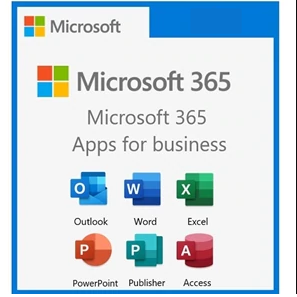
Microsoft 365 is a trusted, secure, and productive way to work that brings together Office 365, Windows 10 Enterprise, and Enterprise Mobility + Security. Microsoft 365 delivers the latest and most current advanced innovations in enterprise security, management, collaboration, and business analytics, delivered through enterprise cloud services.
Contact US (Fast Response):
Email : cs@software-original.com
WhatsApp And Call :

0898 180 3131
Microsoft 365
A complete, intelligent solution, including Office 365, Windows 10, and Enterprise Mobility + Security, that empowers everyone to be creative and work together, securely.
Microsoft 365 is a trusted, secure, and productive way to work that brings together Office 365, Windows 10 Enterprise, and Enterprise Mobility + Security. Microsoft 365 delivers the latest and most current advanced innovations in enterprise security, management, collaboration, and business analytics, delivered through enterprise cloud services.
What is Microsoft 365 ?
Microsoft 365 is a complete, intelligent solution for our commercial customers to empower everyone to be creative and work together, securely.
Microsoft 365 Enterprise
Microsoft 365 Enterprise includes Office 365 Enterprise, Windows 10 Enterprise, and Enterprise Mobility + Security and is offered in two plans - Microsoft 365 E3 and Microsoft 365 E5. Both plans provide customers with a comprehensive set of productivity and security capabilities, while Microsoft 365 E5 provides the latest and most advanced innovations in security, compliance, analytics and collaboration.
The rapid pace of technological change creates both opportunities and challenges for today’s organizations. This change is driving organizations around the world to make decisions about whether or not they will embrace the digital transformation, which includes transforming products, optimizing operations, empowering the flexible work styles employees are demanding, and engaging with customers.
Microsoft understands that technology licensing can help or hinder organizations that need the agility to respond to these technological opportunities. For this reason, Microsoft 365 marks another step in our journey to modernize licensing, making it easier for you to buy what you need from Microsoft with new licensing flexibility to deploy in the cloud or on premises.
Microsoft 365 helps you empower your employees on their digital transformation journey. Microsoft 365 delivers the latest and most advanced innovations in enterprise security, management, collaboration and business analytics, delivered through best-in-class cloud services. Microsoft 365 is targeted to address these top priorities:
• Trust. Protect your organization, data, and people.
• Collaboration. Create a productive workplace to embrace diverse workstyles.
• Mobility. Enable your people to get things done anywhere.
• Intelligence. Provide insights to drive faster, better business decisions.
Component Requirement
Microsoft 365 plans for home : Microsoft 365 Family and Microsoft 365 Personal
1. Computer and processor :
– Windows OS: 1.6 GHz or faster, 2-core
– macOS: Intel processor
2. Memory
– Windows OS: 4 GB RAM; 2 GB RAM (32-bit)
– macOS: 4 GB RAM
3. Hard disk
– Windows OS: 4 GB of available disk space
– macOS: 10 GB of available disk space; HFS+ hard disk format (also known as Mac OS Extended) or APFS Updates may require additional storage over time.
4. Display
– Windows OS: 1280 x 768 screen resolution (32-bit requires hardware acceleration for 4K and higher)
– macOS: 1280 x 800 screen resolution
5. Graphics
– Windows OS: Graphics hardware acceleration requires DirectX 9 or later, with WDDM 2.0 or higher for Windows 10 (or WDDM 1.3 or higher for Windows 10 Fall Creators Update).
– macOS: No graphics requirements.
6. Operating system
– Windows OS: Windows 10, Windows 8.1, Windows Server 2019, Windows Server 2016
– macOS: One of the three most recent versions of macOS. When a new major version of macOS is released, the macOS and the previous two versions.
For the best experience, use the most current build of any operating system specified above. Product functionality and feature availability may vary on older systems (Search Microsoft Lifecycle Policy).
7. Browser
The current version of Microsoft Edge, Internet Explorer, Safari, Chrome, or Firefox. Get more detail.
8. .NET version
Windows OS: some features may require .NET 3.5 or 4.6 and higher to also be installed.
9. Other
– Internet functionality requires an internet connection. Fees may apply.
– A touch-enabled device is required to use any multitouch functionality, but all features and functionality are always available by using a keyboard, mouse, or other standard or accessible input device. Note that touch features are optimized for use with Windows 10 or Windows 8.1.
– Product functionality and graphics may vary based on your system configuration. Some features may require additional or advanced hardware or server connectivity.
– A Microsoft or organizational account is required for licensing and access to services.
– Skype requires a standard laptop camera or USB 2.0 video camera, a microphone, and an audio output device in order to utilize its full range of calling features.

Reviews
There are no reviews yet.